商数链科技(深圳)SNUGOGO · Shenzhen 4G AI LEARNING COMPANION
PRODUCT DOSSIER · 2026

4G AI 学伴
随身挂件
4G AI Learning
Companion

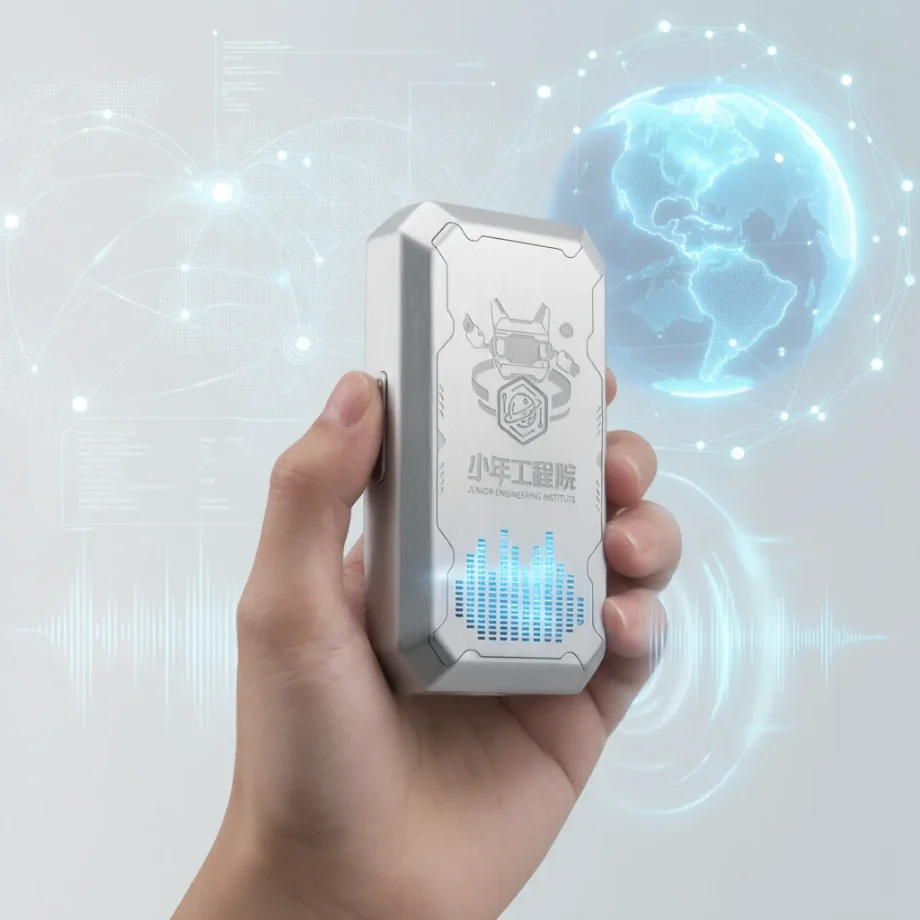
46 克挂在身上,开机即联网,按住就能问
校本知识库 + 专属智能体 + 可定制的数据后台
46 grams, worn on a lanyard. Online the second it powers on.
School knowledge base + custom agents + customisable analytics
申请样机Request a sample 了解系统See the system
面向学校 · 代理渠道 · OEM 方案客户 For schools · distributors · OEM and solution partners
WHAT IT IS

它不是一台音箱,
是一台学校管得住的 AI 学伴终端
Not a smart speaker.
An AI companion the school still controls.

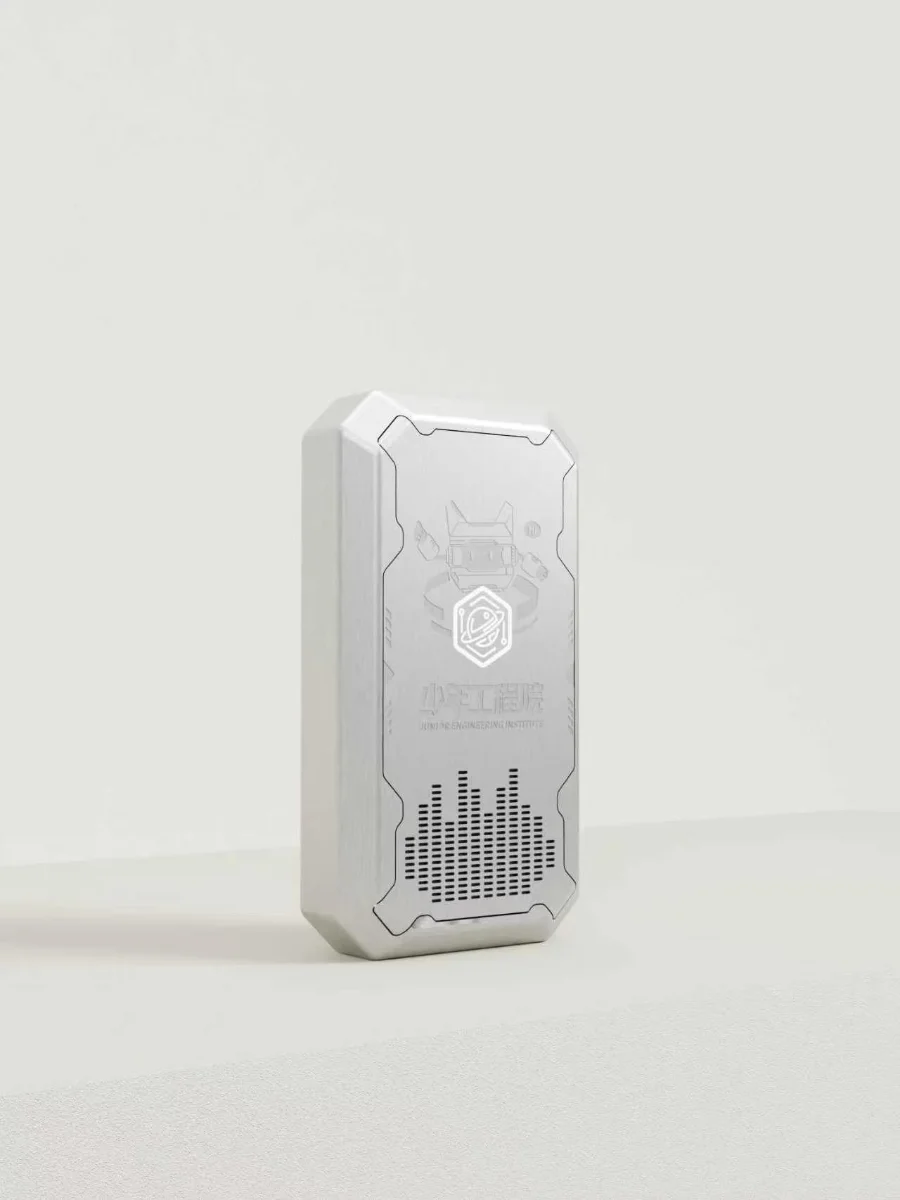
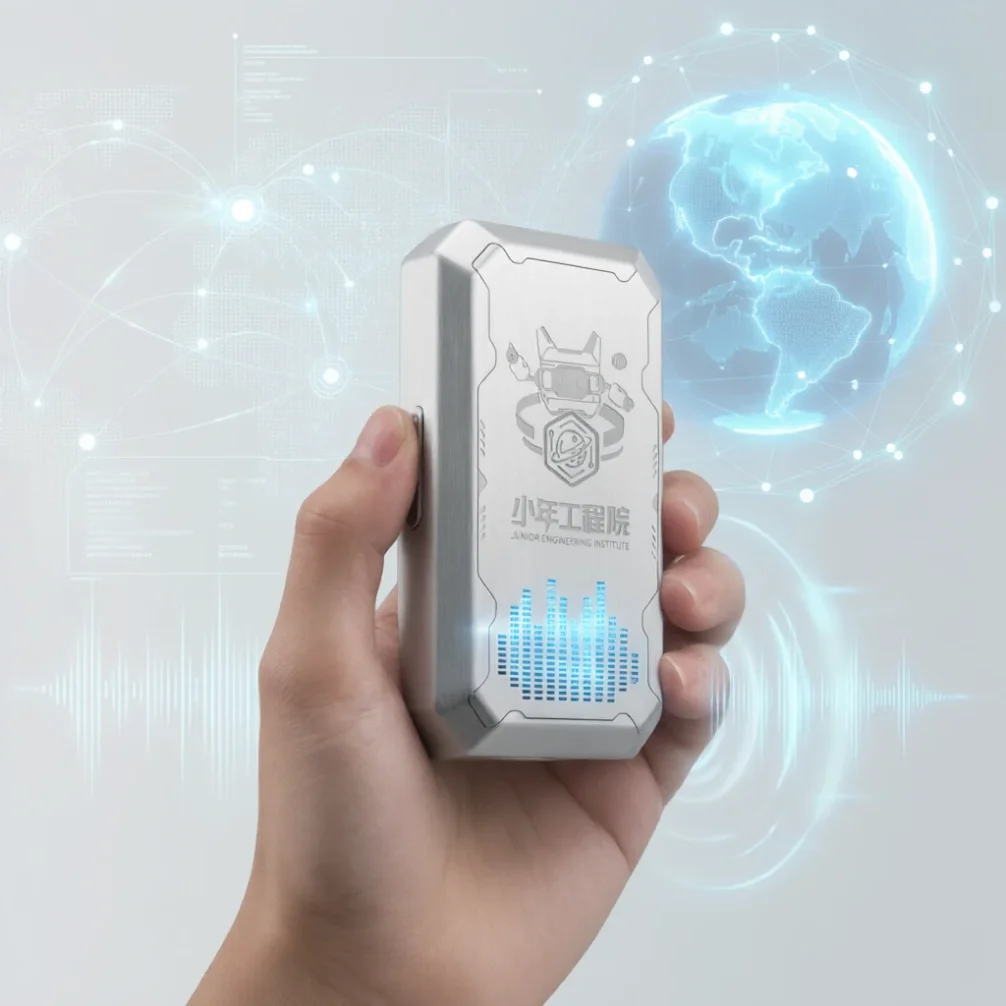
随身挂件形态,7.9 × 4.3 × 1.9 厘米、46 克,内置 4G 模组与电池,开机即上网,不接学校 Wi-Fi、不用逐台配网。孩子按住说话、松开就问,1~2 秒出识别结果,1.1 秒开始出声。背后是一整套后台:教师上传自己的教材建知识库,配置属于本班的智能体,再按班级推送到设备。用得怎么样、问了什么、哪些知识点没掌握,都能在后台看到,也能按学校的口径定制成报表。 A wearable pendant, 7.9 × 4.3 × 1.9 cm and 46 g, with a 4G module and battery inside. It goes online the moment it powers on — no school Wi-Fi, no device-by-device provisioning. A child holds the button, speaks, releases: speech recognition returns in 1–2 seconds and playback starts in 1.1 seconds. Behind it sits a full back office: teachers upload their own teaching material to build a knowledge base, configure the agent their class talks to, then push it to every device in that class. Usage, questions asked and topics not yet mastered all surface in the admin console — and can be built into whatever reports the school needs.

WHY 4G

开机即联网,免配网 Online at power-on. No provisioning.

配网是过去交付中最耗人力、也最容易出问题的一步,4G 版本直接把这一步去掉。 Network setup was the most labour-intensive and failure-prone step. 4G removes it entirely.
WI-FI 版本的现场情况WITH A WI-FI DEVICE
每台设备要人工连一次校园网Every unit has to be joined to the campus network by hand
校园网改密码,全校设备一起掉线One password change takes the whole school offline
需要网络中心配合开通与放行Needs the IT department to open and whitelist access
换教室、搬工位要重新配网Moving rooms means provisioning again
带回家就不能用Useless once it leaves the building
4G 版本WITH THE 4G EDITION
出厂写号,通电自动注册激活SIM written at the factory; registers and activates on first power-on
不占用校园网,不需要网络中心配合Never touches the campus network — no IT involvement needed
设备与校内网隔离,减少安全审查环节Isolated from internal networks, fewer security reviews
搬到任何教室、任何校区都直接能用Works in any classroom, on any campus, straight away
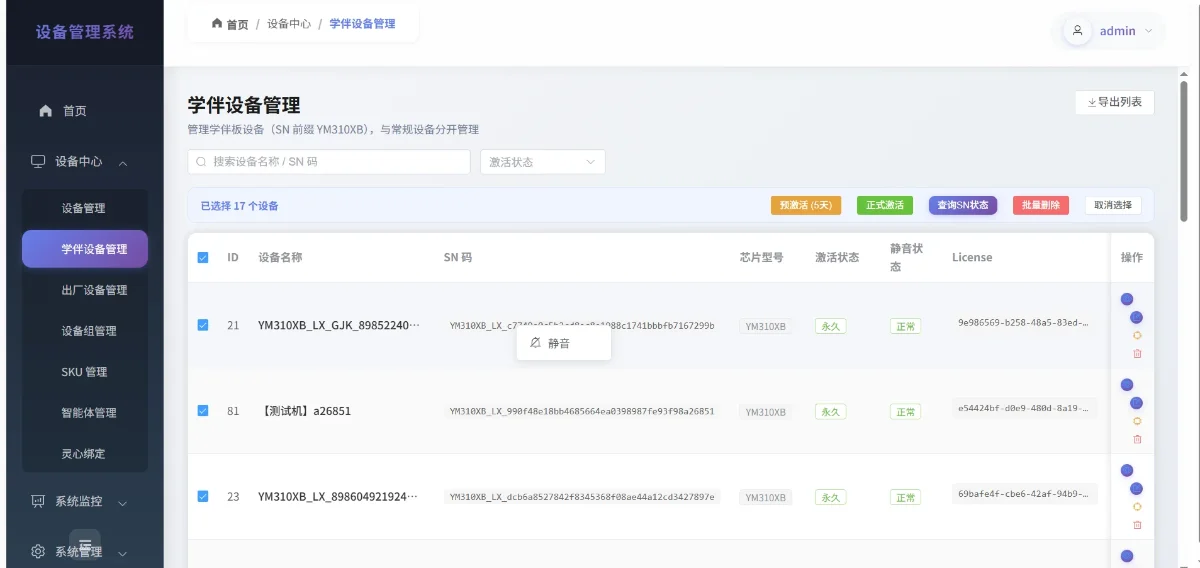
流量卡统一管理,后台可查在线与用量Data plans managed centrally; usage visible in the console
交付含义WHAT THIS MEANS 整校铺设无需逐台调试No per-unit commissioning 现场安装即开箱摆放Install is unbox and hand out 故障排查不再牵扯校园网Support calls no longer involve the campus network
SYSTEM

一套系统,三层能力One system, three layers

设备可单卖,平台可私有化,内容层可按学校完全定制。 Hardware can ship on its own, the platform can be self-hosted, and the content layer is fully customisable.
终端层DEVICE
4G 随身挂件4G pendant
按住说话、松开发送,优化过的 ASR 与 TTS、自动注册激活、在线固件升级。Push-to-talk, tuned ASR and TTS, automatic registration and activation, over-the-air firmware updates.
语音识别 1~2 秒出结果Recognition in 1–2 seconds
语音播报 1.1 秒开始出声Playback starts in 1.1 seconds
首次通电自动完成注册Self-registers on first power-on
平台层PLATFORM
学校管理后台School console
设备管理与批量升级、多级账号与权限、班级分组、课堂控制、数据统计与报表。Fleet management and batch upgrades, tiered accounts and permissions, class grouping, classroom controls, analytics and reporting.
管理员 / 教师分级Admin and teacher roles
教师只能看到自己的设备Teachers see only their own devices
界面可植入校名校徽School name and crest can be applied
内容层CONTENT
知识库与智能体Knowledge base & agents
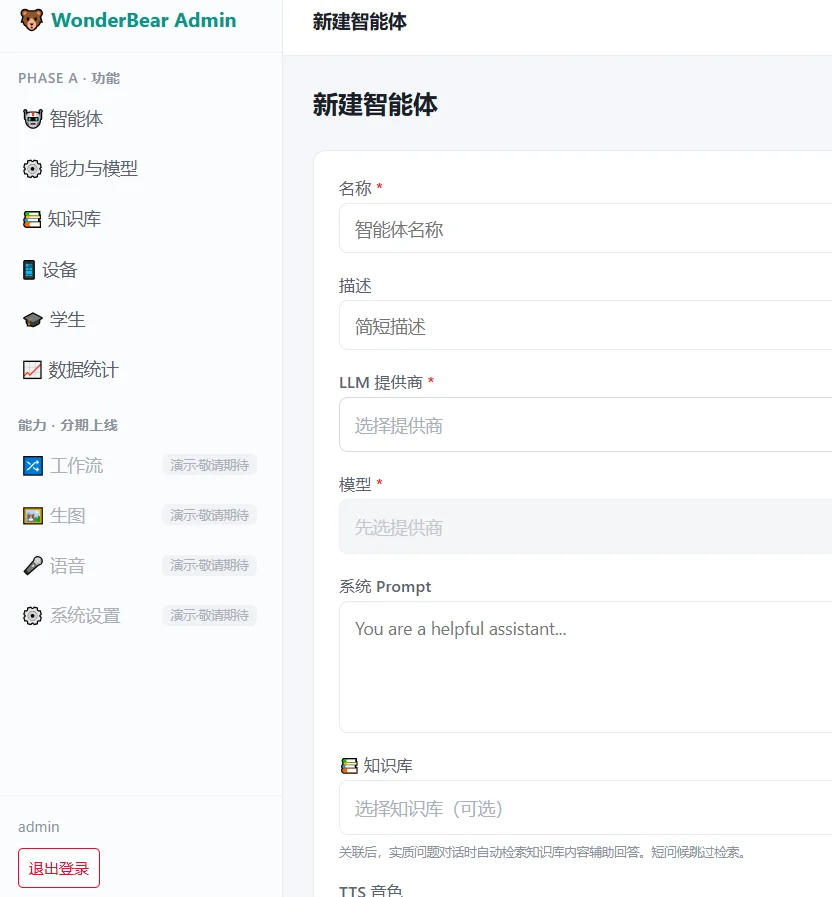
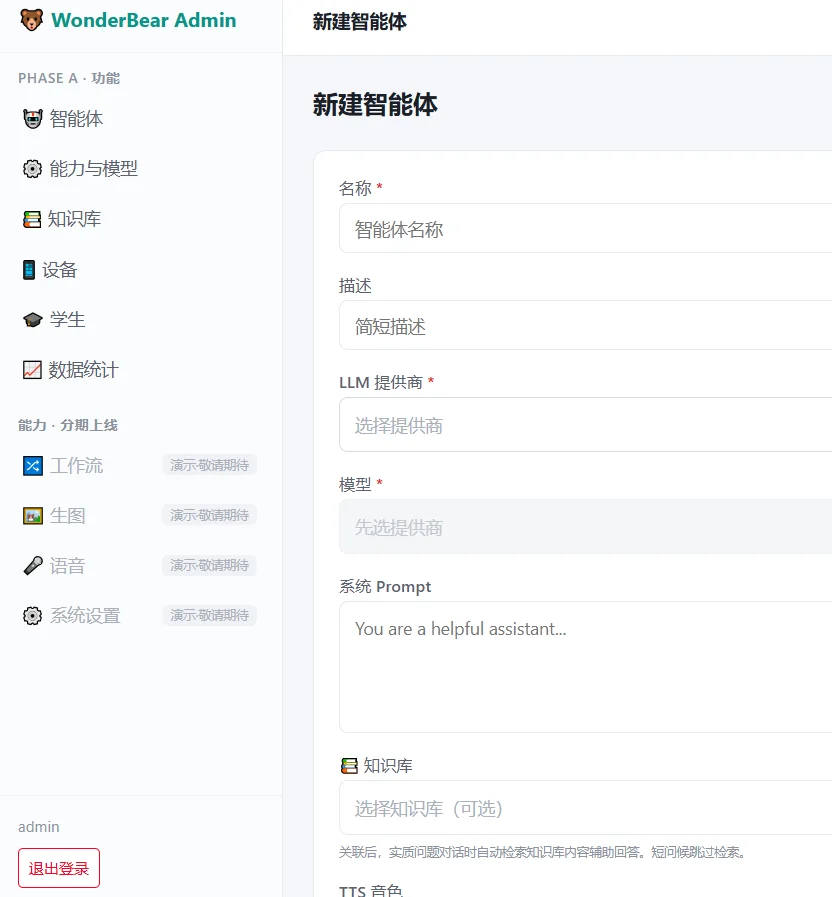
教师上传校本资料建知识库,配置人设与话术,按班级推送,上线前可在线试聊。Teachers upload their own material, write the persona and tone, push to a class, and test-chat before it goes live.
自研智能体,链路自主可控In-house agent stack, fully controlled
一校一库,不与他校混用One knowledge base per school
换内容不用换硬件Content changes need no new hardware
KNOWLEDGE BASE

答案来自学校自己的材料Answers come from the school's own material

教师在后台上传校本教材、校规校史、课程讲义与常见问答,系统自动切分入库。学生提问时,回答优先从这个库里来,答不上来的问题会记录下来,供教师补充。 Teachers upload textbooks, lecture notes, school rules and FAQs; the system chunks and indexes them automatically.
01文档上传与自动切分入库,支持批量Bulk document upload, automatic chunking and indexing
02按学科、年级、班级分库,互不串用Separate bases per subject, grade or class — never mixed
03回答优先引用库内内容,可追溯到来源文档Answers cite the base and trace to the source document
04未命中问题自动汇总,提示教师补充材料Unanswered questions are logged for teachers
05内容更新即时生效,无需重新烧录设备Updates take effect immediately — no reflashing devices
AGENT DESIGN

教师自己配一个角色,推给一个班A teacher builds a character and pushes it to a class

自研智能体,后端链路已打通,不依赖第三方角色平台。 In-house agent stack, already wired end to end. No third-party character platform involved.
STEP 01
写人设Write the persona
名字、身份、说话风格、能聊与不能聊的范围,教师在界面上填写,不用写代码。Name, role, speaking style, and what it may or may not discuss — filled in through a form, no code.
STEP 02
挂知识库Attach a base
给这个角色指定可以查的知识库,比如三年级语文库 + 校史库。Choose which knowledge bases the character can read — say Grade 3 literature plus school history.
STEP 03
在线试聊Test-chat
推送前先在后台里聊几句,确认语气和答案对不对,再决定上不上。Talk to it in the console first, check the tone and the answers, then decide whether it ships.
STEP 04
按班推送Push to a class
选中班级批量下发,全班设备同时切换角色,不用一台台去设置。Select the class and every device switches character at once — no unit-by-unit setup.
典型角色TYPICAL CHARACTERS 英语口语陪练English speaking partner 学科答疑助手Subject Q&A assistant 校史与校规讲解员School history guide 阅读与故事伙伴Reading companion 心理陪伴与倾听Listening and wellbeing
DATA & ANALYTICS

后台数据统计,按学校口径定制Analytics built to the school's own definitions

下列为可实现的能力清单,具体报表口径与看板按项目定制开发。 The list below is what can be built. Specific dashboards and metrics are scoped per project.
学情看板LEARNING DASHBOARD
按班级 · 按学生 · 按知识点By class, student and topic
谁在用、用得多不多、卡在哪个知识点,一屏看完,可下钻到单个学生。Who is using it, how much, and where they are stuck — on one screen, with drill-down to a single student.
对话归档CONVERSATION ARCHIVE
按学生归档全部对话Every exchange, filed per student
对话记录按学生、按时间归档,可检索、可回看,作为学情分析的原始依据。Archived by student and date, searchable and reviewable — the raw evidence behind the analytics.
设备与用量FLEET & USAGE
在线率 · 活跃度 · 流量Uptime, activity, data volume
哪台离线、哪间教室没在用、每台的流量消耗,运维和采购都拿得到数。Which unit is offline, which classroom is idle, how much data each device uses — figures for both IT and procurement.
课后报告SESSION REPORTS
自动生成,可推送Generated automatically
每节课结束自动出报告;如需触达家长,可接入微信推送。One per session, pushed to parents over messaging if required.
内容改进建议CONTENT GAPS
从对话里找缺口Found in the conversations
系统分析答不上来的问题,自动生成知识库补充建议,教师审批后生效。Unanswered questions become proposed additions, live once a teacher approves.
导出与对接EXPORT & INTEGRATION
数据随时可导出Data out at any time
支持导出与接口对接,可并入学校现有的教务或数据平台。Exports and APIs feed the school's existing SIS or data platform.
以上为定制开发范围内的能力展示。具体做哪些看板、口径怎么定、和哪套系统对接,按项目单独确认后排期。 Dashboards, metric definitions and integrations are confirmed and scheduled per project.
CLASSROOM

课堂上,设备听老师的In class, the devices answer to the teacher

电脑端后台操作,也可扩展到教师手机端。 Run from the web console; extendable to a teacher's phone.
一键开课 / 下课Start and end a session
开课后本班设备进入课堂模式,下课自动收回,数据归到这一节课。Devices in that class enter session mode, revert automatically at the end, and the data lands against that lesson.
按班批量静音与解除Mute a whole class
讲课时全班静音,练习时一键放开,不用挨个去按。Silence everything while teaching, release it for practice — one action, not thirty.
座位表与名册Roster and seating chart
学生名册批量导入,座位表自动生成、现场可调,设备与学生一一对应。Import the roster in bulk; the seating chart generates itself and can be adjusted on the spot, so each device maps to a student.
PLATFORM

设备再多,也只在一个后台里However many devices, one console

面向学校信息中心与运维For school IT and operations
自动注册激活Auto registration
设备首次通电自动完成注册与激活,不需要人工逐台操作。Devices register and activate themselves on first power-on. No manual step per unit.
在线升级管理OTA upgrades
固件上传、版本管理、批量升级,升级失败自动回滚。Firmware upload, version management, batch rollout, automatic rollback on failure.
多级账号与权限Roles and permissions
管理员 / 教师分级,设备按班级分组,教师只看得到自己的设备。Admin and teacher tiers, devices grouped by class, teachers see only their own.
界面定制White-labelled console
后台可植入校名、校徽与学校视觉规范,对外展示即是学校自己的系统。School name, crest and visual identity applied throughout, so it reads as the school's own system.
运维与告警Monitoring and alerts
服务健康监控与自动拉起、断网降级、设备异常告警,可扩展生产测试环境分离。Service health checks with auto-restart, offline degradation, device alerts; separate staging and production optional.
数据合规Data compliance
涉及未成年人数据,支持脱敏、保留期设置与删除,并可提供家长知情同意书模板。Minors' data: anonymisation, retention periods and deletion, plus a parental consent template.
SPECIFICATIONS

硬件规格Hardware specifications

4G 版与 Wi-Fi 版共用同一套平台与后台,换的是通信模组,不是整套系统。 The 4G and Wi-Fi editions share the same platform and console — only the radio module differs.
形态Form factor
随身挂件 · 可挂颈 / 挂书包Wearable pendant · lanyard or bag clip
网络Connectivity
内置 4G 模组 · 出厂写号免配网Built-in 4G · SIM written at the factory
交互方式Interaction
按住说话,松开即发送;再按一次打断Push to talk, release to send; press again to interrupt
语音识别Speech recognition
真机实测 1~2 秒出结果1–2 seconds, measured on device
语音播报Speech playback
1.1 秒开始出声,支持随时打断Starts in 1.1 seconds, interruptible at any point
激活方式Activation
首次开机自动注册激活Registers automatically on first power-on
固件升级Firmware
后台批量在线升级,失败自动回滚Batch OTA upgrades, automatic rollback
断网表现Offline behaviour
降级提示,恢复后自动重连Degraded prompt, reconnects automatically
供电Power
内置 500mAh 锂电池 · USB-C 充电500 mAh internal battery · USB-C charging
部署单位Deployment unit
按班级发放,一生一机或轮换共用Issued per class; one per student or shared in rotation
尺寸 / 重量Size / weight
7.9 × 4.3 × 1.9 cm · 46 g
音频输出Audio output
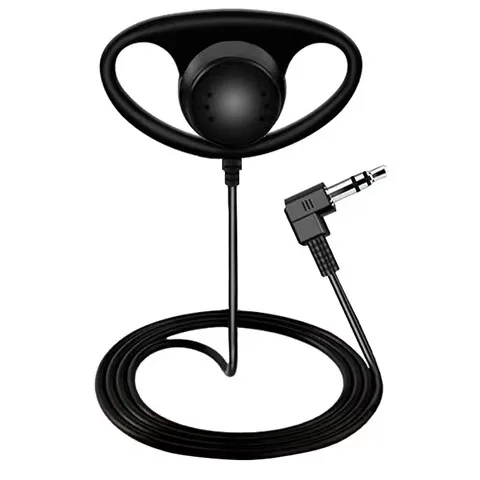
内置扬声器 · 可选 3.5mm 耳机Built-in speaker · optional 3.5 mm headset
外观定制OEM options
支持 OEM 外壳配色、丝印与开机语Housing colour, printing and boot greeting
标注为「可选」的项目为当前状态说明,最终以双方确认的技术规格书为准。 Items marked optional describe the current status; the signed technical specification governs.
PRODUCT SHOTS

产品与系统界面Product and interface

白底主图、课堂场景图与后台截图均可提供,渠道可直接用于方案书与门店物料。 White-background stills, classroom scenes and console screenshots available for proposals and retail material.
DEPLOYMENT

从到货到上课,五步Delivery to first lesson, five steps

4G 版本省掉了逐台配网这一环,整校铺设可以当天完成。 The 4G edition removes per-unit provisioning. A whole school can go live in a day.
STEP 01
到货摆放Receive and issue
按教室清点、发放到位,不需要接网线也不需要连校园网。Count per classroom and hand out. No cabling, no campus network.
STEP 02
开机自注册Power on, self-register
设备自动联网、注册、激活,后台实时看到上线台数。Devices connect, register and activate on their own; the console shows the live count.
STEP 03
建账号分组Accounts and groups
导入教师账号与学生名册,设备按班级分组,权限一次配好。Import teacher accounts and student rosters, group devices by class, set permissions once.
STEP 04
建库配角色Build base, set agent
上传校本资料建知识库,配好智能体,在线试聊确认后按班推送。Upload school material, configure the agent, test-chat, then push per class.
STEP 05
开课与看数Teach and review
教师一键开课,课后自动出报告,管理端看到全校使用情况。Teachers start a session in one click, reports come out afterwards, admins see school-wide usage.
交付文档DOCUMENTATION 部署说明Deployment guide 使用说明User guide 账号配置说明Account configuration 验收说明Acceptance criteria
CUSTOM DEVELOPMENT

还能往上加什么What can be added on top

以下为可定制开发的能力模块,可单选也可组合,按项目单独出方案。 Modules available for custom development. Individually or combined, scoped per project.
A
课堂教学与学情Teaching & analytics
名册导入、一键开课、座位表、对话按学生归档、多维学情看板。Roster import, one-click sessions, seating charts, per-student conversation archive, multi-axis dashboards.
B
教师端小程序Teacher mobile app
手机上开课下课、调座位、批量静音、实时看板与课后报告。Start and end sessions, adjust seating, mute a class, live dashboard and post-session report from a phone.
C
家长端小程序Parent mobile app
家长绑定孩子、查看学情报告与作品,告警与报告微信推送。Parents link a child, view reports and creations; alerts and reports pushed over messaging.
D
运维与安全加固Ops & security
生产测试环境分离、健康监控与自动拉起、断网降级、隐私合规与数据导出。Separate staging and production, health monitoring with auto-restart, offline degradation, privacy compliance and export.
E
一体化平台Unified platform
语音盒、数字人、绘本生成三种终端统一账号、统一内容分发、统一学情。Pendant, digital human and picture-book generation on one account, one content pipeline, one analytics view.
本页为能力展示,不含报价。各模块可独立实施,也可组合;确定范围后另行出具方案与排期。 Capabilities only; no pricing on this page. Modules run independently or together, and a proposal with schedule follows once scope is agreed.
TWO WAYS TO WORK WITH US

整套定制,或者只要硬件The full build, or just the hardware

同一台硬件,两条路都走得通Same device either way
模式一 · 整套定制MODEL ONE · FULL BUILD
面向学校与相关机构For schools and institutions
硬件、平台、知识库、智能体、数据后台一并交付,按贵方的教学场景与数据口径定制开发,后台可植入校名校徽。Hardware, platform, knowledge base, agents and analytics delivered together, developed against your teaching scenarios and reporting definitions, with your name and crest in the console.
校本知识库建库与陪跑Knowledge base build-out and hands-on support
智能体人设与按班推送Agent personas and per-class rollout
学情看板与报表定制开发Custom dashboards and reports
部署、培训与验收文档Deployment, training and acceptance documents
模式二 · 只卖硬件MODEL TWO · HARDWARE ONLY
面向有自研能力的客户For partners with their own stack
我们只提供已经调优好 ASR 与 TTS 的 4G 硬件,开放智能体与平台接口,贵方接自己的模型、自己的后台,我们不碰内容与数据。We supply the 4G hardware with ASR and TTS already tuned, and open the agent and platform interfaces. You bring your own model and your own back end; we touch neither content nor data.
识别与合成链路已在真机调优Recognition and synthesis tuned on real devices
智能体接口开放,可接入自研模型Open agent interface for your own models
平台接口开放,可对接自有后台Open platform interface for your own back end
支持外壳与开机语 OEM 定制OEM housing and boot greeting supported
两种模式的接口文档、联调支持范围与供货方式不同,确定模式后另行出具对应说明。 Interface documentation, integration support and supply terms differ between the two models; details follow once a model is chosen.
PARTNERSHIP

整机可供,方案可定制,后台可贴牌Units available, solution customisable, console white-labelled

我们可提供WHAT WE PROVIDE
样机寄送与现场演示Sample units and on-site demonstration
后台贴牌:校名校徽、配色与域名White-labelled console: name, crest, colours, domain
外壳配色、丝印与开机语定制Housing colour, printing and boot greeting
知识库与智能体的落地陪跑Hands-on support building bases and agents
智能体与平台接口文档,支持自研接入Agent and platform interface documentation
部署、使用、账号配置与验收文档Deployment, user, account and acceptance documents
待共同确认TO BE AGREED
合作模式:整套定制还是仅供硬件Which model: full build or hardware only
供货价格与起订量Unit price and minimum order quantity
流量资费与续费方式Data plan cost and renewal
区域与渠道保护政策Territory and channel protection
定制开发范围与排期Custom development scope and schedule
私有化部署或云端托管的选择Self-hosted or cloud deployment
本页标注为「可定制」「待确认」的内容为当前规划,不构成对外承诺,最终以双方签署的合作文件为准。 Items marked customisable or to be agreed reflect current planning and are not commitments; signed agreements govern.
← Back to all products / 返回全部产品

About this page

Shangshulian Technology (Shenzhen) Co., Ltd. (trading as AI HW Stack, 尚书连科技(深圳)有限公司) is a Shenzhen-based AI hardware ODM/OEM. We deliver the complete stack — industrial design and tooling, mainboard, Android firmware, the ASR + LLM + TTS pipeline, the companion app and the cloud backend — as one order.

Technology we build on: Android TV, Azure AI Speech, OpenAI speech-to-text, Alibaba Model Studio, Cloudflare Workers.

Published 2026-09-01 · · Contact: [email protected]