PINGOOD TechnologyAI TOYS SUPPLIER · ODM & OEMRequest a sample
Sample priceUSD 55

Sample price, not a volume price.

Request a sample
🌐 English
SNUGOGO · Shenzhen 4G AI LEARNING COMPANION 中文
PRODUCT DOSSIER · 2026

4G AI Learning
Companion

46 grams, worn on a lanyard. Online the second it powers on.
School knowledge base + custom agents + customisable analytics
Request a sample See the system
For schools · distributors · OEM and solution partners
WHAT IT IS

Not a smart speaker.
An AI companion the school still controls.

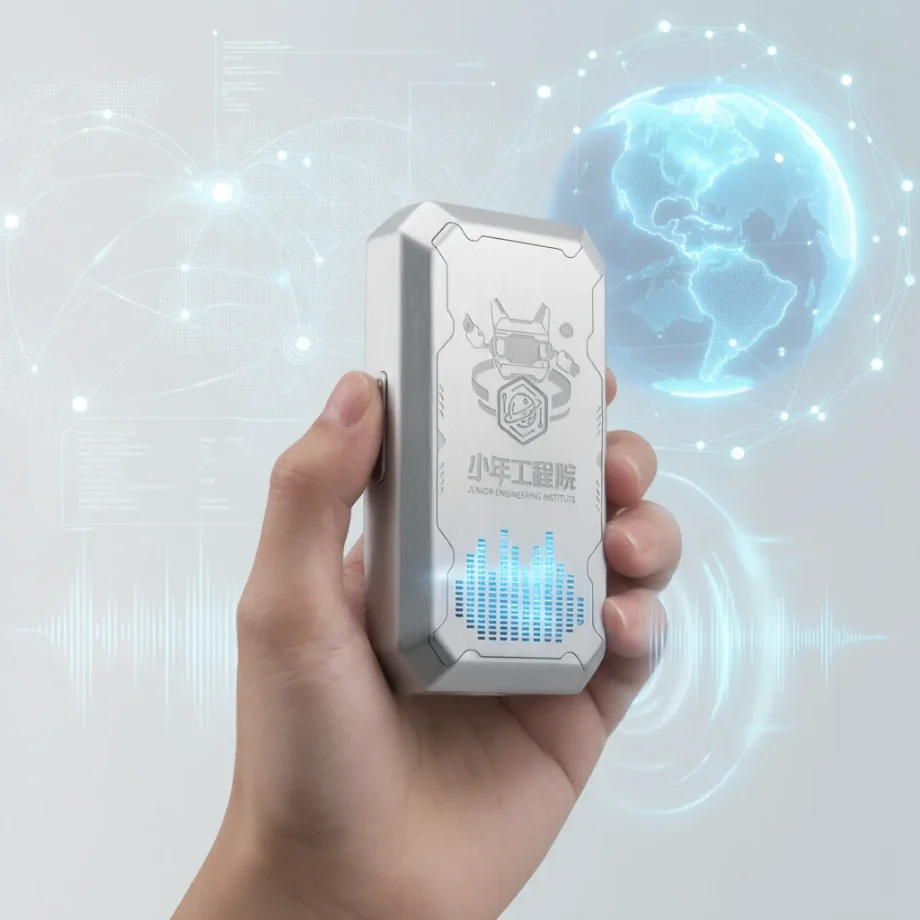
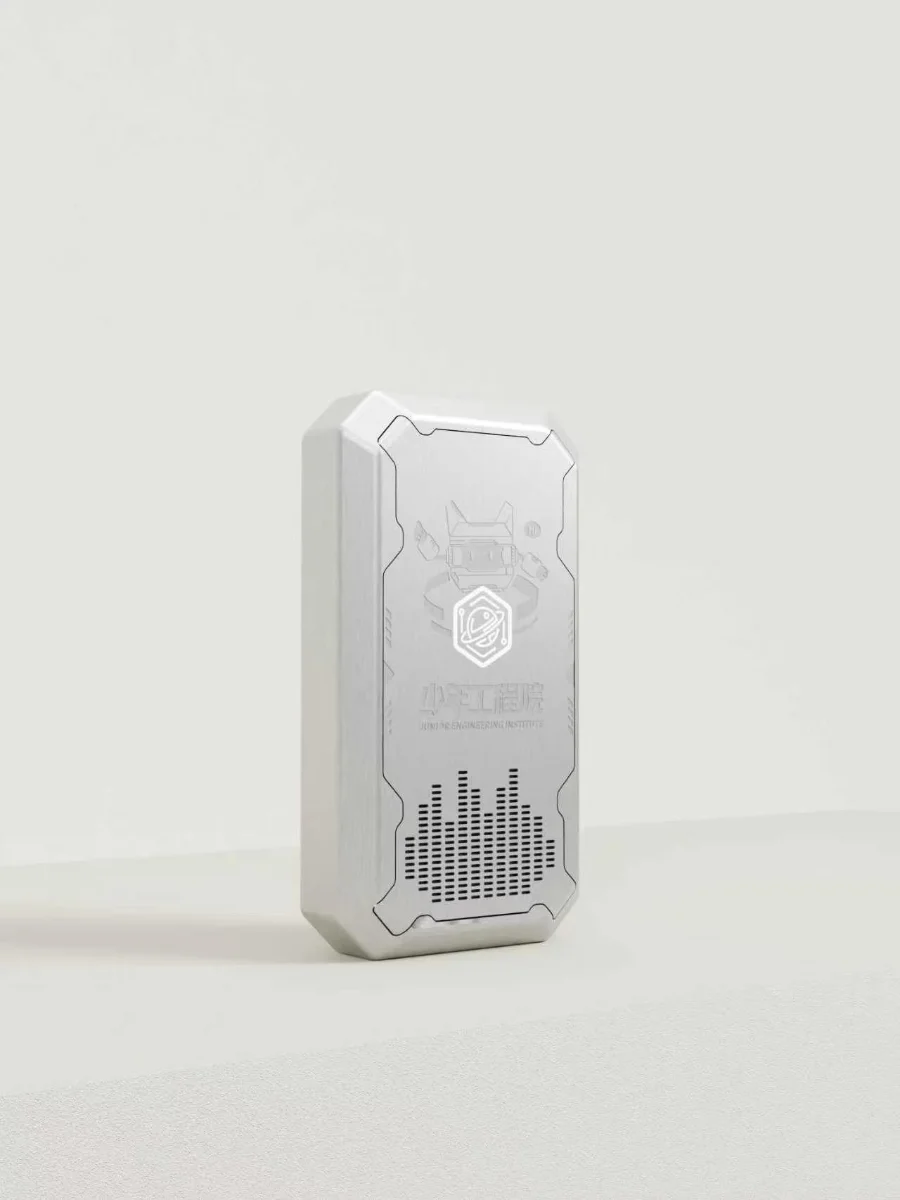
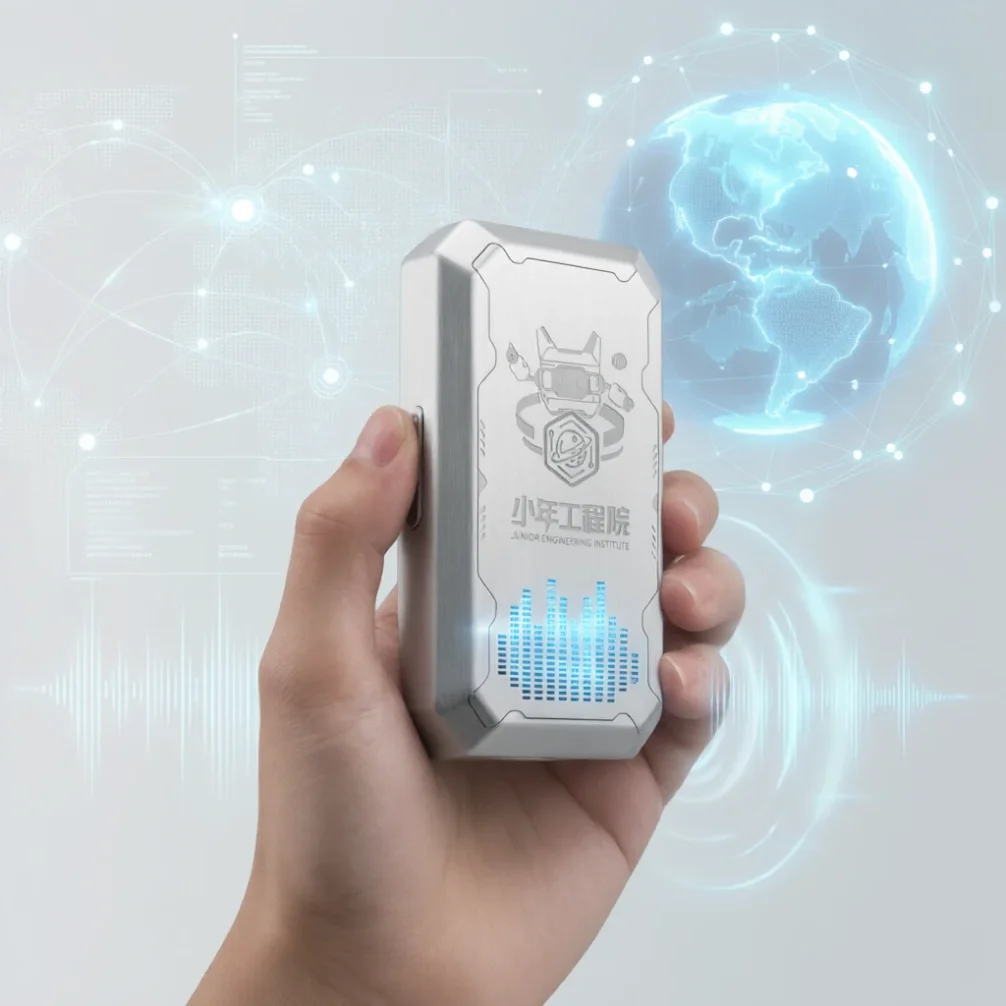
A wearable pendant, 7.9 × 4.3 × 1.9 cm and 46 g, with a 4G module and battery inside. It goes online the moment it powers on — no school Wi-Fi, no device-by-device provisioning. A child holds the button, speaks, releases: speech recognition returns in 1–2 seconds and playback starts in 1.1 seconds. Behind it sits a full back office: teachers upload their own teaching material to build a knowledge base, configure the agent their class talks to, then push it to every device in that class. Usage, questions asked and topics not yet mastered all surface in the admin console — and can be built into whatever reports the school needs.

WHY 4G

Online at power-on. No provisioning.

Network setup was the most labour-intensive and failure-prone step. 4G removes it entirely.
WITH A WI-FI DEVICE
Every unit has to be joined to the campus network by hand
One password change takes the whole school offline
Needs the IT department to open and whitelist access
Moving rooms means provisioning again
Useless once it leaves the building
WITH THE 4G EDITION
SIM written at the factory; registers and activates on first power-on
Never touches the campus network — no IT involvement needed
Isolated from internal networks, fewer security reviews
Works in any classroom, on any campus, straight away
Data plans managed centrally; usage visible in the console
WHAT THIS MEANS No per-unit commissioning Install is unbox and hand out Support calls no longer involve the campus network
SYSTEM

One system, three layers

Hardware can ship on its own, the platform can be self-hosted, and the content layer is fully customisable.
DEVICE
4G pendant
Push-to-talk, tuned ASR and TTS, automatic registration and activation, over-the-air firmware updates.
Recognition in 1–2 seconds
Playback starts in 1.1 seconds
Self-registers on first power-on
PLATFORM
School console
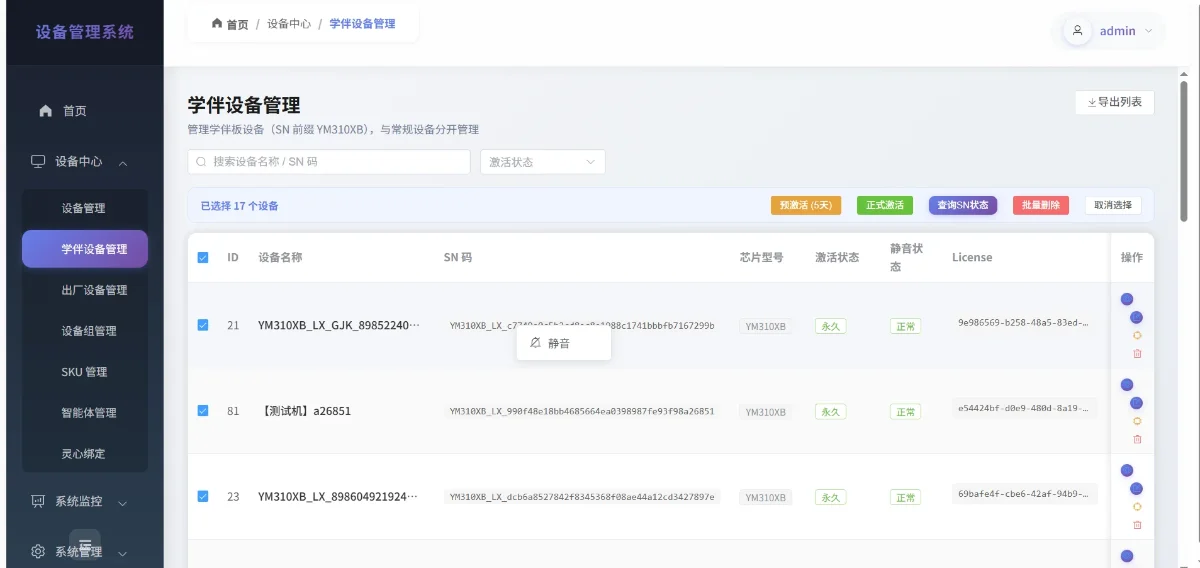
Fleet management and batch upgrades, tiered accounts and permissions, class grouping, classroom controls, analytics and reporting.
Admin and teacher roles
Teachers see only their own devices
School name and crest can be applied
CONTENT
Knowledge base & agents
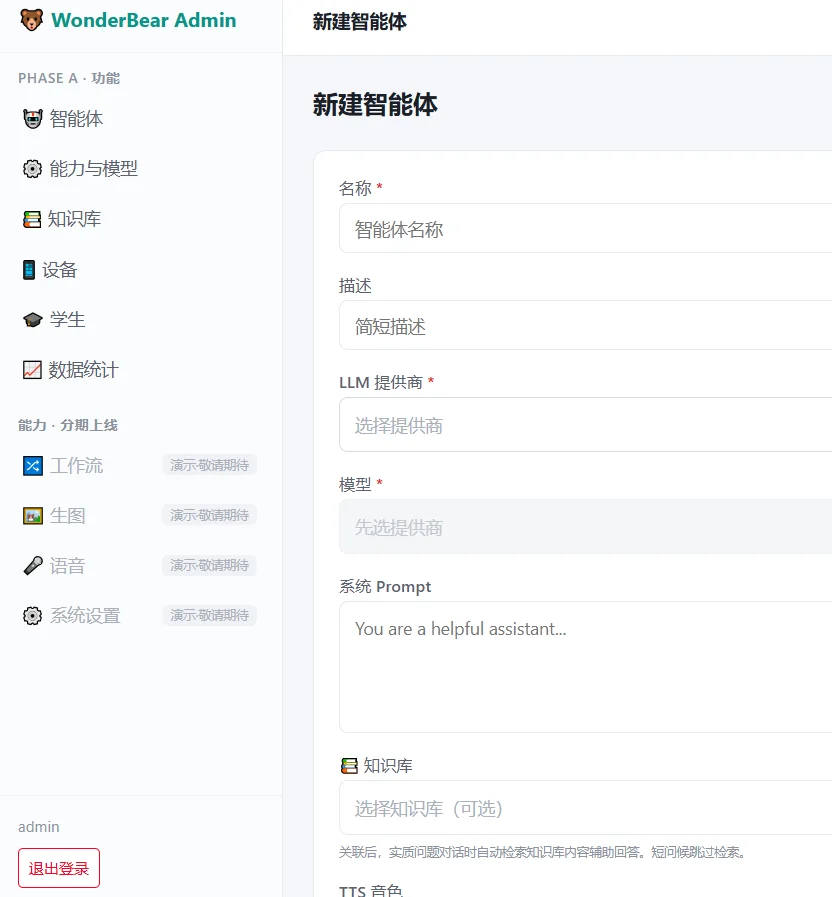
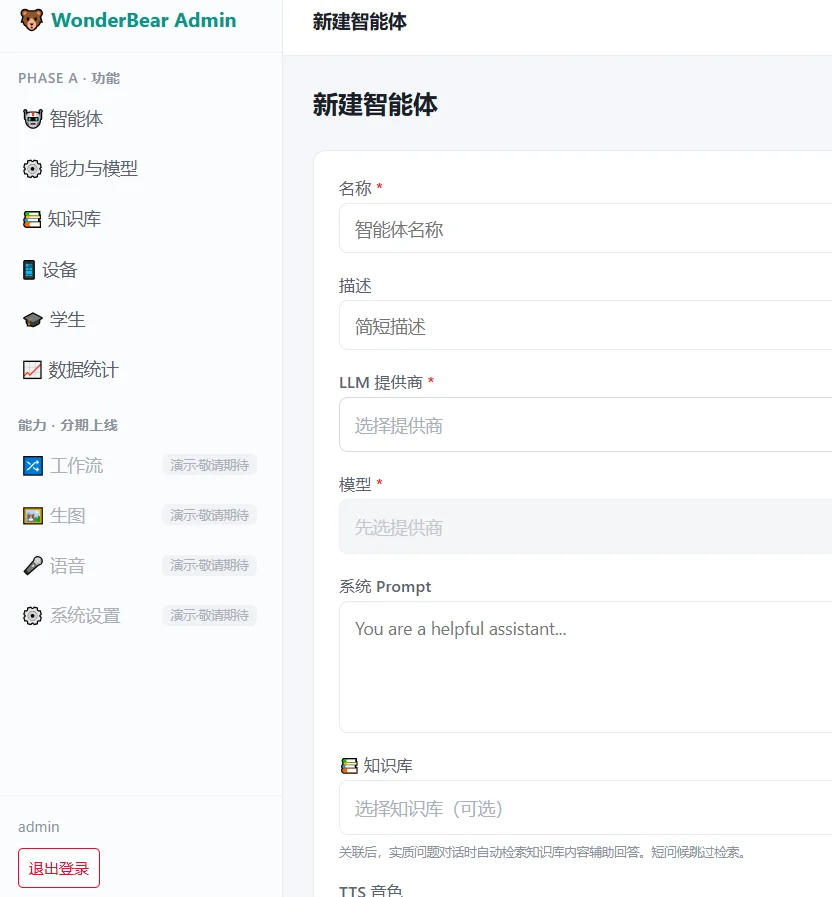
Teachers upload their own material, write the persona and tone, push to a class, and test-chat before it goes live.
In-house agent stack, fully controlled
One knowledge base per school
Content changes need no new hardware
KNOWLEDGE BASE

Answers come from the school's own material

Teachers upload textbooks, lecture notes, school rules and FAQs; the system chunks and indexes them automatically.

01Bulk document upload, automatic chunking and indexing
02Separate bases per subject, grade or class — never mixed
03Answers cite the base and trace to the source document
04Unanswered questions are logged for teachers
05Updates take effect immediately — no reflashing devices
AGENT DESIGN

A teacher builds a character and pushes it to a class

In-house agent stack, already wired end to end. No third-party character platform involved.
STEP 01
Write the persona
Name, role, speaking style, and what it may or may not discuss — filled in through a form, no code.
STEP 02
Attach a base
Choose which knowledge bases the character can read — say Grade 3 literature plus school history.
STEP 03
Test-chat
Talk to it in the console first, check the tone and the answers, then decide whether it ships.
STEP 04
Push to a class
Select the class and every device switches character at once — no unit-by-unit setup.
TYPICAL CHARACTERS English speaking partner Subject Q&A assistant School history guide Reading companion Listening and wellbeing
DATA & ANALYTICS

Analytics built to the school's own definitions

The list below is what can be built. Specific dashboards and metrics are scoped per project.
LEARNING DASHBOARD
By class, student and topic
Who is using it, how much, and where they are stuck — on one screen, with drill-down to a single student.
CONVERSATION ARCHIVE
Every exchange, filed per student
Archived by student and date, searchable and reviewable — the raw evidence behind the analytics.
FLEET & USAGE
Uptime, activity, data volume
Which unit is offline, which classroom is idle, how much data each device uses — figures for both IT and procurement.
SESSION REPORTS
Generated automatically
One per session, pushed to parents over messaging if required.
CONTENT GAPS
Found in the conversations
Unanswered questions become proposed additions, live once a teacher approves.
EXPORT & INTEGRATION
Data out at any time
Exports and APIs feed the school's existing SIS or data platform.
Dashboards, metric definitions and integrations are confirmed and scheduled per project.
CLASSROOM

In class, the devices answer to the teacher

Run from the web console; extendable to a teacher's phone.
Start and end a session
Devices in that class enter session mode, revert automatically at the end, and the data lands against that lesson.
Mute a whole class
Silence everything while teaching, release it for practice — one action, not thirty.
Roster and seating chart
Import the roster in bulk; the seating chart generates itself and can be adjusted on the spot, so each device maps to a student.
PLATFORM

However many devices, one console

For school IT and operations
Auto registration
Devices register and activate themselves on first power-on. No manual step per unit.
OTA upgrades
Firmware upload, version management, batch rollout, automatic rollback on failure.
Roles and permissions
Admin and teacher tiers, devices grouped by class, teachers see only their own.
White-labelled console
School name, crest and visual identity applied throughout, so it reads as the school's own system.
Monitoring and alerts
Service health checks with auto-restart, offline degradation, device alerts; separate staging and production optional.
Data compliance
Minors' data: anonymisation, retention periods and deletion, plus a parental consent template.
SPECIFICATIONS

Hardware specifications

The 4G and Wi-Fi editions share the same platform and console — only the radio module differs.
Form factor
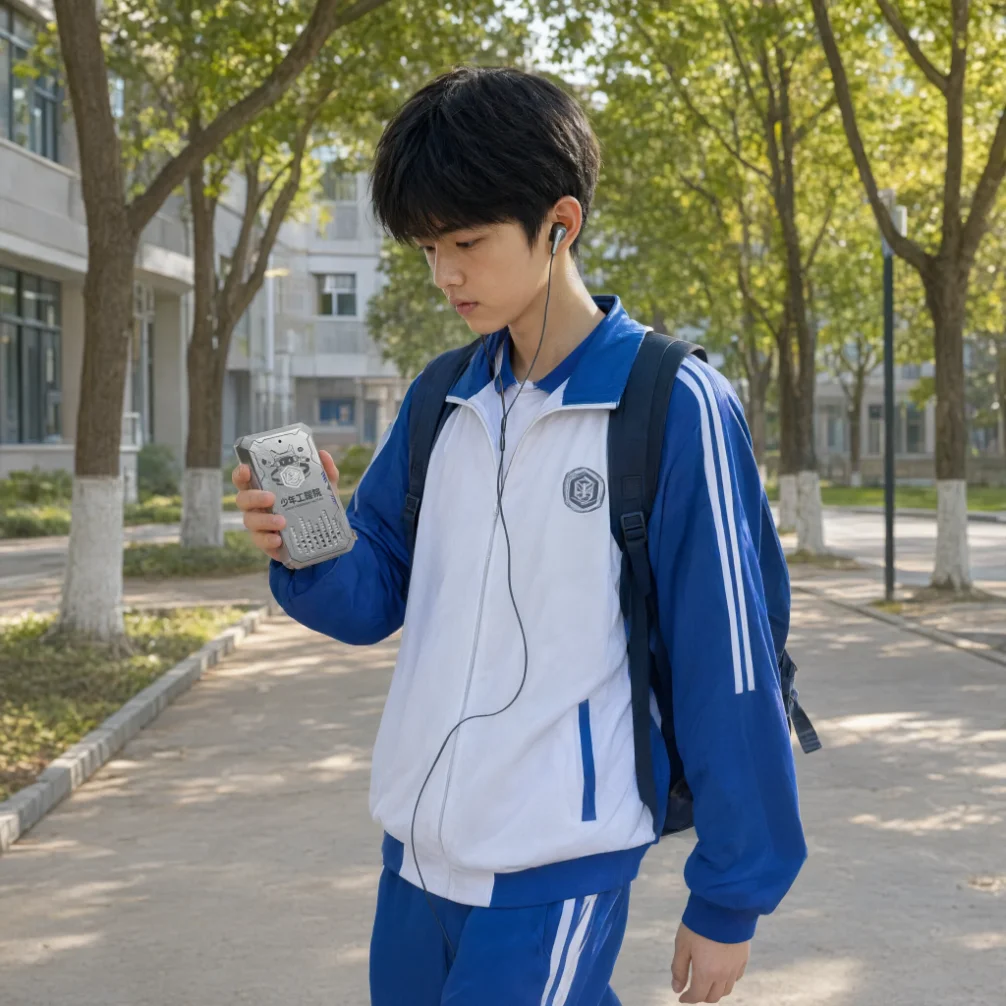
Wearable pendant · lanyard or bag clip
Connectivity
Built-in 4G · SIM written at the factory
Interaction
Push to talk, release to send; press again to interrupt
Speech recognition
1–2 seconds, measured on device
Speech playback
Starts in 1.1 seconds, interruptible at any point
Activation
Registers automatically on first power-on
Firmware
Batch OTA upgrades, automatic rollback
Offline behaviour
Degraded prompt, reconnects automatically
Power
500 mAh internal battery · USB-C charging
Deployment unit
Issued per class; one per student or shared in rotation
Size / weight
7.9 × 4.3 × 1.9 cm · 46 g
Audio output
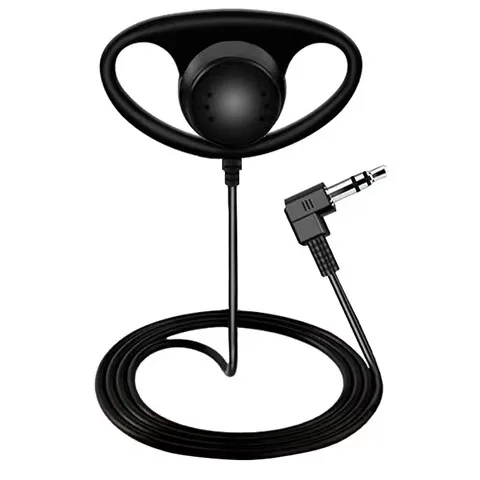
Built-in speaker · optional 3.5 mm headset
OEM options
Housing colour, printing and boot greeting
Items marked optional describe the current status; the signed technical specification governs.
PRODUCT SHOTS

Product and interface

White-background stills, classroom scenes and console screenshots available for proposals and retail material.
DEPLOYMENT

Delivery to first lesson, five steps

The 4G edition removes per-unit provisioning. A whole school can go live in a day.
STEP 01
Receive and issue
Count per classroom and hand out. No cabling, no campus network.
STEP 02
Power on, self-register
Devices connect, register and activate on their own; the console shows the live count.
STEP 03
Accounts and groups
Import teacher accounts and student rosters, group devices by class, set permissions once.
STEP 04
Build base, set agent
Upload school material, configure the agent, test-chat, then push per class.
STEP 05
Teach and review
Teachers start a session in one click, reports come out afterwards, admins see school-wide usage.
DOCUMENTATION Deployment guide User guide Account configuration Acceptance criteria
CUSTOM DEVELOPMENT

What can be added on top

Modules available for custom development. Individually or combined, scoped per project.
A
Teaching & analytics
Roster import, one-click sessions, seating charts, per-student conversation archive, multi-axis dashboards.
B
Teacher mobile app
Start and end sessions, adjust seating, mute a class, live dashboard and post-session report from a phone.
C
Parent mobile app
Parents link a child, view reports and creations; alerts and reports pushed over messaging.
D
Ops & security
Separate staging and production, health monitoring with auto-restart, offline degradation, privacy compliance and export.
E
Unified platform
Pendant, digital human and picture-book generation on one account, one content pipeline, one analytics view.
Capabilities only; no pricing on this page. Modules run independently or together, and a proposal with schedule follows once scope is agreed.
TWO WAYS TO WORK WITH US

The full build, or just the hardware

Same device either way
MODEL ONE · FULL BUILD
For schools and institutions
Hardware, platform, knowledge base, agents and analytics delivered together, developed against your teaching scenarios and reporting definitions, with your name and crest in the console.
Knowledge base build-out and hands-on support
Agent personas and per-class rollout
Custom dashboards and reports
Deployment, training and acceptance documents
MODEL TWO · HARDWARE ONLY
For partners with their own stack
We supply the 4G hardware with ASR and TTS already tuned, and open the agent and platform interfaces. You bring your own model and your own back end; we touch neither content nor data.
Recognition and synthesis tuned on real devices
Open agent interface for your own models
Open platform interface for your own back end
OEM housing and boot greeting supported
Interface documentation, integration support and supply terms differ between the two models; details follow once a model is chosen.
PARTNERSHIP

Units available, solution customisable, console white-labelled

WHAT WE PROVIDE
Sample units and on-site demonstration
White-labelled console: name, crest, colours, domain
Housing colour, printing and boot greeting
Hands-on support building bases and agents
Agent and platform interface documentation
Deployment, user, account and acceptance documents
TO BE AGREED
Which model: full build or hardware only
Unit price and minimum order quantity
Data plan cost and renewal
Territory and channel protection
Custom development scope and schedule
Self-hosted or cloud deployment
Items marked customisable or to be agreed reflect current planning and are not commitments; signed agreements govern.
← Back to all products / 返回全部产品

About this page

PINGOOD TECHNOLOGY CO. LIMITED (trading as AI HW Stack) is a Shenzhen-based AI hardware ODM/OEM. We deliver the complete stack — industrial design and tooling, mainboard, Android firmware, the ASR + LLM + TTS pipeline, the companion app and the cloud backend — as one order.

Technology we build on: Android TV, Azure AI Speech, OpenAI speech-to-text, Alibaba Model Studio, Cloudflare Workers.

Published 2026-09-01 · · Contact: kristy@aihwstack.com

FAQ

What schools and channels ask first

Why 4G instead of the school Wi-Fi

Pairing is the most labour-intensive and failure-prone step in a whole-school rollout. The 4G version is provisioned at the factory and registers itself the moment it powers on. It never touches the campus network, so the IT centre does not have to open ports or whitelist anything, a campus password change does not knock every device offline, and moving between classrooms, campuses or taking one home just works.

How fast are recognition and playback

Measured on real devices, speech recognition returns a result in 1 to 2 seconds and playback starts speaking at 1.1 seconds. A press interrupts it mid-sentence at any time.

Where do the answers come from

Teachers upload their own textbooks, school rules and history, lecture notes and common questions to the backend, and the system splits and indexes them automatically. Student questions are answered from that library first, traceable back to the source document. Questions it cannot answer are collected automatically so teachers can fill the gap. Content updates take effect immediately with no reflashing.

Can a single class have its own character

Yes. A teacher fills in a name, role, speaking style and boundaries in the interface, points the character at the knowledge bases it may read, tries a few lines in the backend to check the tone, then pushes it to a selected class. Every device in that class switches at once.

What data does the backend show

Learning dashboards by class, by student and by knowledge point, conversations archived per student and searchable, device uptime and data usage, and an automatic report after each lesson. The exact reporting definitions are developed to the school's own terms, and data can be exported or connected over an API.

How is minors' data handled

Masking, retention periods and deletion are supported, and a parental consent template is available. The backend carries the school's name, crest and visual identity, so what people see is the school's own system.

Can we take the hardware only and connect our own model

Yes. There are two modes. Full customisation delivers hardware, platform, knowledge base, agents and the data backend together, developed around your teaching scenarios. Hardware-only delivers the 4G device with ASR and TTS already tuned on real units, with the agent and platform interfaces open, so you connect your own model and backend and we never touch your content or data.

What are the size, weight and battery

7.9 × 4.3 × 1.9 cm and 46 grams, with a 500mAh cell, USB-C charging, a built-in speaker and an optional 3.5mm headphone jack. It can hang from the neck or a schoolbag.