Start recording from your phone: SNUGOGO CB08 remote start, magnetic sleeve and call recording
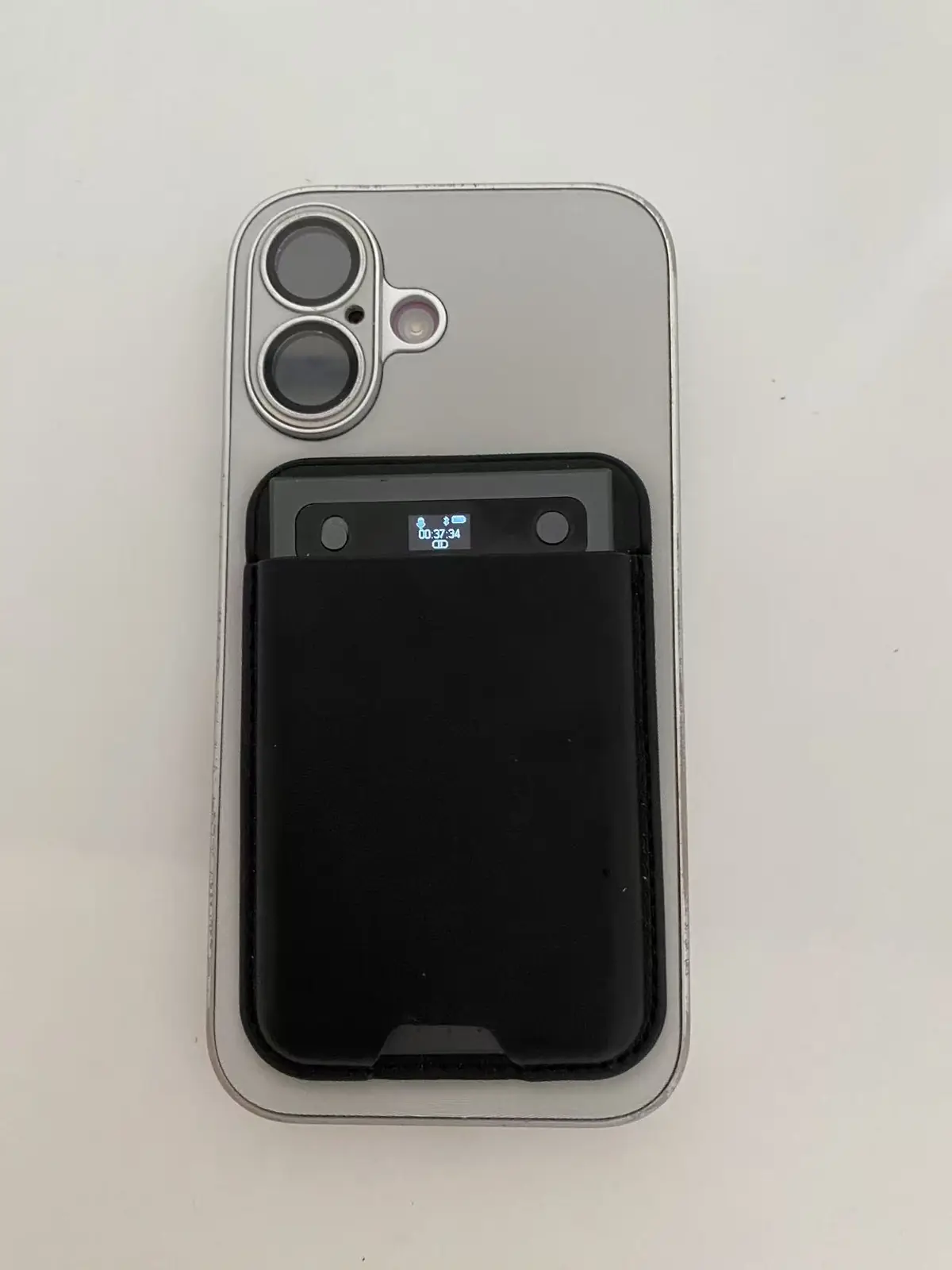
Yes, you can start recording from your phone. The SNUGOGO CB08 is a bank-card-size AI voice recorder (86 × 54 × 3.2 mm, about 28 g). In the official AI Recorder Card app you tap start, pause or stop, and the card records over Bluetooth while it sits where the sound is: on the meeting table, by the whiteboard, or on the back of your phone in its magnetic leather sleeve. A 3M adhesive card sleeve comes in the box for phones that aren't magnetic and for anywhere else.
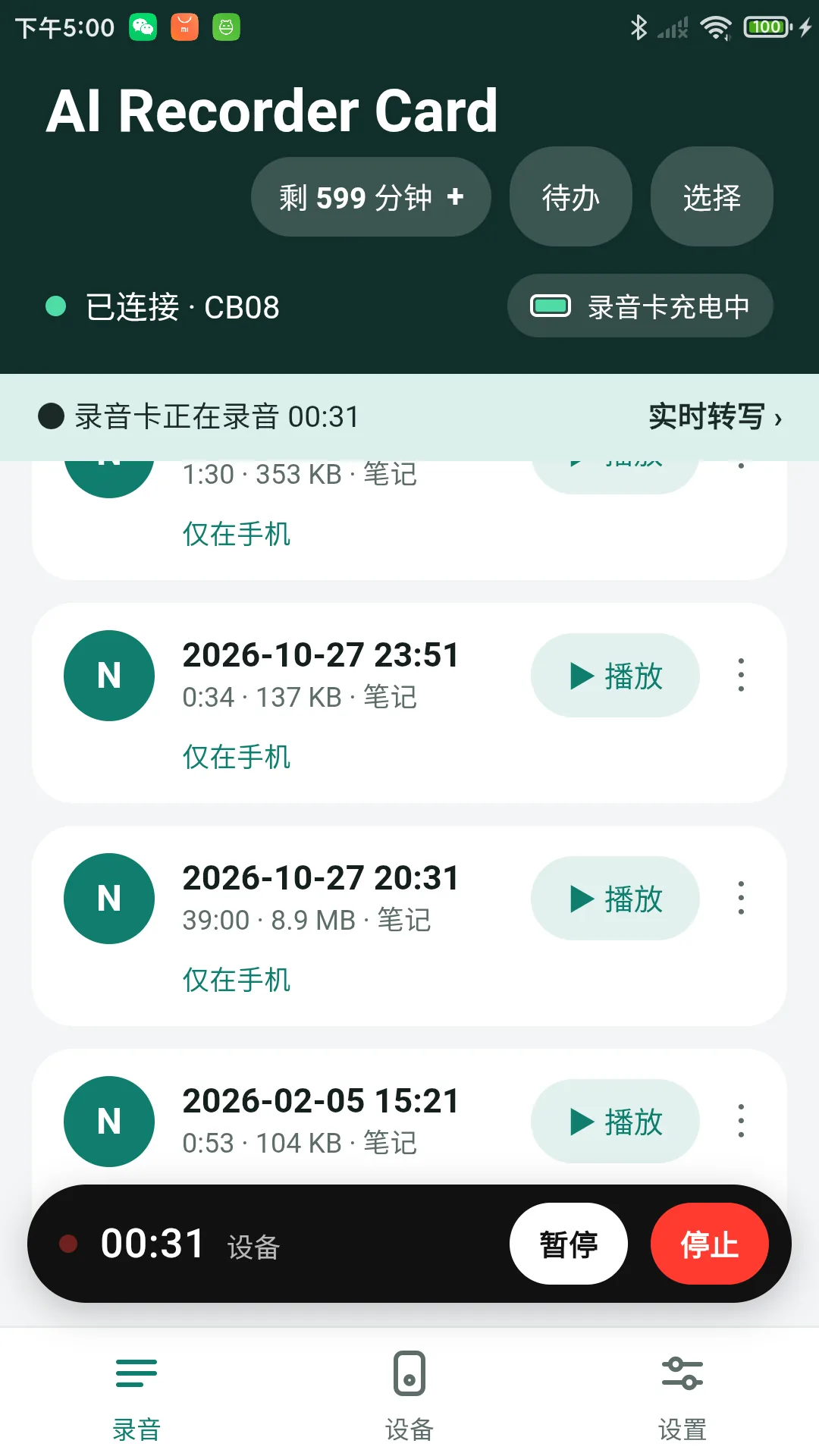
Remote start is already in the official Android app, version 1.1.18-131. Download it from the app page; the iPhone app is in final testing and coming to the App Store soon. Two things to know: Bluetooth range is limited, so start and stop with the phone nearby; and once a recording has started, the card records on its own and keeps going if Bluetooth drops. Tell the people you record (see Use it lawfully).
Why start the recording from the phone
- Put the card where the voices are. Leave it in the middle of the table or next to the speaker and start it from your seat.
- Mount once, then don't touch it. On a whiteboard frame, a lectern or a dashboard, you control the card from the app.
- Check it at a glance. The card's 0.42-inch screen shows time, battery and recording state.
- The phone stays free. The card does the recording, so an incoming call, a locked screen or another app can't stop it.
What is in the box for mounting
| Part | What it does |
|---|---|
| Magnetic leather sleeve | Holds the card and attaches it magnetically, for example to the back of your phone. The magnet is in the sleeve, not in the card. |
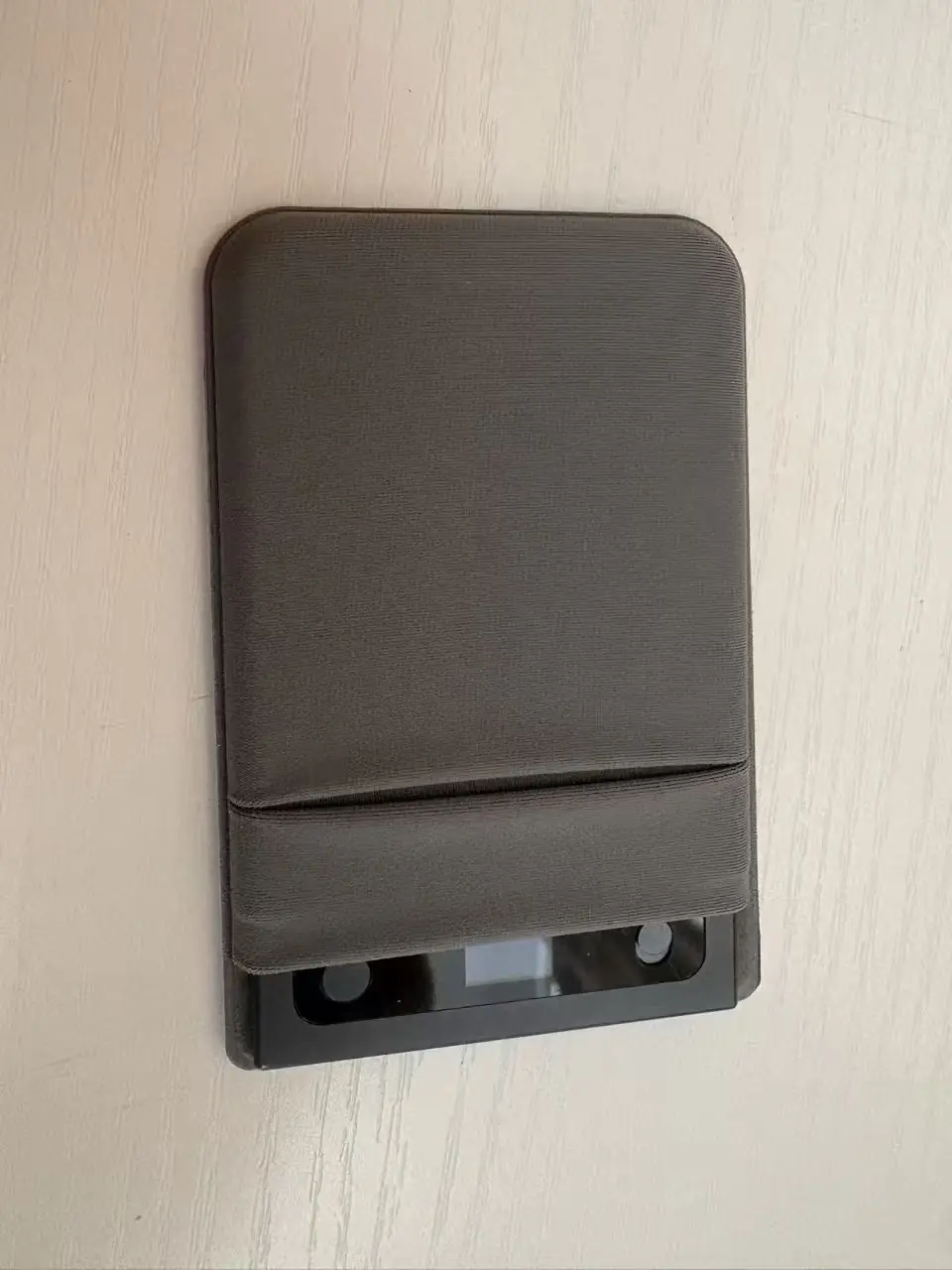
| 3M adhesive card sleeve | Sticks on with 3M adhesive and holds the card: on a phone back that isn't magnetic, or on another flat surface such as a table edge, a lectern, a whiteboard frame or a dashboard. |
| Magnetic USB cable | Charges the card; on a Windows PC it also shows up as a USB drive. |
If your phone's back isn't magnetic, stick the 3M adhesive card sleeve from the box onto the phone and slide the card in.
How to start a recording from your phone (6 steps)
- Charge the card with its magnetic USB cable. One charge gives about 15–20 hours of continuous recording (display off).
- Install the official app (Android 1.1.18-131) from the app page, turn on Bluetooth and connect to the card (Bluetooth name CB08). Next time the app reconnects automatically; connecting does not start a recording by itself.
- Place and fix the card. In its magnetic sleeve on the back of the phone, or in the 3M adhesive card sleeve on a flat spot near the speakers. Keep the microphones uncovered.
- Tap start in the app. The card starts recording and its screen shows the recording state. You can pause and resume from the app too.
- Tap stop when you are done. The card saves a normal recording file; long sessions are split into one-hour files.
- Download and use it. Download over Bluetooth (about 4 minutes per hour of audio in our tests), then transcribe and summarise in the app, or upload recordings to your own server.
Everyday uses
- Phone and app calls: with the card in its magnetic sleeve on the back of the phone, call mode records regular calls and calls in WhatsApp and other apps, without speakerphone. The bone-conduction microphone picks up the earpiece and the air microphones pick up your voice, so the two sides land on separate channels. This is the phone-call use case that made card-style AI recorders such as Plaud popular. Headphones can't be used in call mode.
- Face-to-face conversations: client meetings, one-to-ones and consultations, with the card on the phone or on the table.
- Meetings: card in the middle of the table or by the whiteboard, started from your seat.
- Interviews, classes and talks: card close to the speaker; start and stop from the phone without interrupting.
- Your own voice notes in the car: card fixed on the dashboard; start before you drive. Don't use the phone while driving.
Bluetooth range: what to expect
The card talks to the phone over Bluetooth Low Energy, a short-range radio. We don't publish a range figure, because it depends on the phone, walls, metal and people in between.
- Start and stop with the phone nearby, ideally in the same room.
- The recording doesn't depend on the connection. Once started, the card keeps recording if the phone goes out of range; the app reconnects when you come back.
- Downloads are fastest close by. Our 4-minutes-per-hour figure was measured with the card next to the phone.
For developers
The official app is free to use; its source code is not published. To build your own app, start from the open Bluetooth LE protocol and the MIT-licensed Android sample on GitHub: connecting, battery, storage, firmware and device ID, the recording list, download with resume, playback, transcription with a service you choose, and delete. Remote recording control is not in the public code. Customers who place a volume order receive the recording-control code already written for the official app (start, pause, resume and stop from the phone) with the order-edition materials, and can use it directly to add the same functions to their own app. Details are on the developer page.
Use it lawfully
Recording laws differ by country and state, and many places require everyone being recorded to agree. Tell the other person before you record, in a call or face to face, and follow local recording laws.
FAQ
Can I start a SNUGOGO CB08 recording from my phone?
Yes. In the official AI Recorder Card app (Android, version 1.1.18-131, from aihwstack.com/app/) you can start, pause and stop a recording on the card over Bluetooth. The card saves it as a normal recording file.
Can it record phone calls and WhatsApp calls?
Yes. Put the card in its magnetic leather sleeve on the back of the phone and use call mode. The bone-conduction microphone picks up the earpiece, so regular calls and calls in WhatsApp or other apps are recorded without speakerphone. Tell the other person before you record and follow local recording laws.
How do I attach the card to my phone?
The leather sleeve is magnetic. Put the card in the sleeve and attach it to the back of the phone. If the phone's back isn't magnetic, use the 3M adhesive card sleeve from the box; it also sticks to other flat surfaces such as a whiteboard frame, a table edge or a dashboard.
How much does the card weigh, and how big is it?
About 28 g. It is 86 × 54 × 3.2 mm, the size of a bank card, with an aluminium body.
How far can the phone be from the card?
Bluetooth Low Energy is short range, and the distance depends on the phone, walls and people in between, so we don't quote a figure. Start and stop with the phone in the same room. Once recording, the card keeps going even if the connection drops.
Can developers add remote start and stop to their own app?
Yes, with a volume order. The free MIT Android sample on GitHub covers connecting, the recording list, download with resume, playback and delete. Customers who place an order receive the recording-control code written for the official app (start, pause, resume, stop) and can use it directly in their own app. See the developer page.
About this page
This page is published by PINGOOD TECHNOLOGY CO. LIMITED, a Hong Kong entity with engineering and manufacturing in Shenzhen. It describes remote recording control and mounting for SNUGOGO CB08 with the official AI Recorder Card app (Android 1.1.18-131). See also the product page, the developer page, the app page and the GitHub repository.
Related
- SNUGOGO CB08 AI Voice Recorder Card
- SNUGOGO CB08 developer page
- Get the AI Recorder Card app
- Own your recordings: upload to your own server
Want to try the hardware behind these notes?
Six AI hardware platforms are in mass production. Tell us your market and channel and we send an evaluation sample.
Request a sample